Tech App

Handyman App
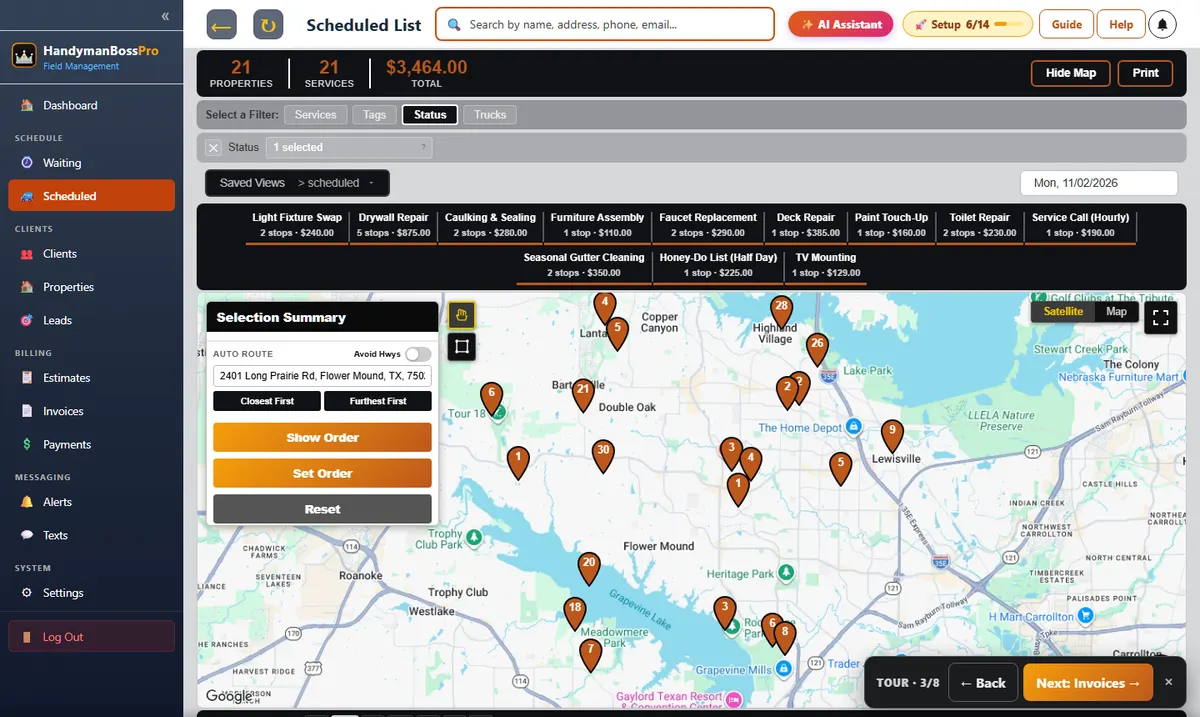
Every Job, Every Task and Every Payment on the Tech's Phone

A handyman tech's day is a string of houses, each with its own list, its own way in and its own homeowner waiting to see what got fixed. HandymanBossPro puts the day in route order on the phone, with one-tap navigation, the list and the access notes on every card, a checklist with hours and materials, before and after photos, and payment when the tech taps Complete.

Start Your 14-Day Free TrialTry the Live Demo
No credit card required  ·  14-day free trial  ·  from $59/mo after
3 Buttons
Start, Skip, Complete
$59
Plans Start Per Month
0
App Store Downloads
14 Days
Free Trial, No Card
HandymanBossPro tech app with handyman jobs in route order and the task list on each job card

A Real Tech App on Every Plan.
Not an Add-On.

The tech app comes with every HandymanBossPro plan. Route, navigation, task lists, checklist, hours, materials, photos, customer texts and payment are part of the platform.

📋

Jobs in Route Order

Each tech sees their own jobs in the order set on the dispatch board.

🧭

One-Tap Navigation

Directions to the next house from the job card.

📝

The List on the Card

The customer's tasks right under the address.

✅

Job Checklist

Tick off tasks, log hours, materials and cost, note follow-ups.

📷

Before & After Photos

Saved with the job for the office and the customer.

💳

Paid at Completion

Complete creates the invoice and can charge the card on file.

The List, the House and the Way In Before the Tech Knocks

Everything the tech needs is on the card: the address with navigation, the task list, the items on the house, the access notes and the notes from the last visit.

  • Navigation button on every job
  • Task list from the customer
  • Items on the house with brand, size and room
  • Lockbox and gate codes
  • Past notes from earlier visits
  • Checklist with hours, materials and follow-ups
Example Tech App Card, Van 2
Stop 3 · Honey-Do List (Half Day)
Caulk tub · tighten railing · swap 2 fixtures
Next
Light Fixture
Kichler · Small · Bathroom
Item
Access
Key in lockbox, code 0731
Note
Stop 4 · TV Mounting
75" TV · drywall · cords in wall
Then
Illustration of what you see from your own records.

A Tech App Your Crew Learns in One Ride-Along

Handymen didn't get into the trade to type on a phone. A few taps per job is all it asks.

01

Log In

Company login plus a personal PIN, on any iPhone or Android.

02

Work the Route

Tap navigation, read the card, tap Start.

03

Do the List

Tick off tasks, take photos, log hours and materials.

04

Complete

The invoice is created and the card on file can be charged.

Generic Field Apps Think Every Job Is One Task

A handyman job is a list. The app has to carry it.

Most field apps give a job an address and a notes box. A handyman visit is six tasks, two parts the customer bought, a lockbox code and a question about whether the subfloor is soft.

When the app can't carry that, the tech ends up reading a text thread in the driveway and calling the office for the code.

HandymanBossPro keeps the list, the house, the access notes and the checklist on the job, so any tech can run any route.

Handyman App Features

Every tool here exists to get techs through a day of mixed jobs with fewer calls and fewer trips back.

🔑

Company Login + PIN

Every job, photo and clock-in tied to the right person.

📋

Route Order

Follows the dispatch board as it changes.

🧭

Navigation

One tap from the job card.

📝

Task List

The customer's list on every job.

🏠

Items on the House

Water heater, fans, faucets, doors, locks, deck, fence, gutters.

📍

Access Notes

Lockbox codes, gate codes, pets and parking.

🗒️

Past Notes

What the last tech saw at this house.

✅

Job Checklist

Tasks, hours, materials, cost and follow-ups.

▶️

Start, Skip, Complete

Three buttons tell the office everything.

📷

Photos

Before and after, saved with the job.

⏱️

Time Clock

Clock in and out on the same phone.

📶

Works Offline

Saves work with no signal and sends it later.

Customers Know You're Coming and See What You Did

On-the-way and arrived texts go out as the tech works the route. After the visit, the job report and photos show exactly what was done.

  • Automatic on-the-way and arrived texts
  • Live route map in the customer app
  • Printable Handyman Job Report
  • Invoices and card on file in the customer app
Example Handyman Job Report
Tasks
5 of 5 done · drywall, door, caulk, fixtures, photos
Hours on site
3.5
Materials
Patch kit, silicone caulk, 2 fixtures
Follow-up
Soft subfloor by tub, quote sent
Illustration of what you see from your own records.

Simple Plans. Never Billed Per User.

Pick the plan that fits your business. Every plan starts with a 14-day free trial and no credit card.

Compare plans on the pricing page.

Handyman App: Common Questions

Do my techs need to download anything?

No app store download. The app runs in the browser on iPhone and Android and installs to the home screen. Techs log in with your company login and their own PIN.

Can techs log hours and materials?

Yes. The handyman checklist on each job has hours on site, materials used, materials cost, tasks completed and a follow-up note.

What if there's no signal?

The app saves work on the phone and sends it when the signal comes back.

Can techs write estimates in the field?

Yes, for techs you allow. They can write and send an estimate from the app for extra work they find on site.

What does it cost?

The tech app is on every plan: Start $59, Pro $89, Crew $199 a month, never billed per user.

The tech app is one part of HandymanBossPro. See all features or go back to the handyman software overview.

Handyman App Guides

Logging in, route order, the job card, task lists, hours, materials, photos, payment, offline use and getting your crew to use it.

  1. Handyman App: The Complete Guide for Handyman Techs and Owners
  2. Logging In to the Handyman App: Company Login Plus a Personal PIN
  3. iPhone or Android, No App Store: Installing the Handyman App
  4. The Handyman Tech's Day in Route Order
  5. The Navigation Button: From Job Card to Driveway in One Tap
  6. The Task List on the Job Card
  7. Ticking Off Tasks: The Handyman Checklist in the App
  8. Logging Hours on Site in the Handyman App
  9. Recording Materials Used on Handyman Jobs
  10. Taking Before and After Photos in the Handyman App
  11. Access Notes: Lockbox Codes, Gate Codes, Pets and Parking
  12. Past Notes: What the Last Tech Saw at This House
  13. Items on the House in the Handyman App
  14. Start, Skip, Complete: The Three Buttons That Run the Day
  15. Extra Work Found on Site: Writing Estimates From the Handyman App
  16. Getting Paid at Completion From the Handyman App
  17. Customer Texts From the Handyman App: On the Way and Arrived
  18. The Time Clock in the Handyman App
  19. Basements, Crawlspaces and No Signal: The Handyman App Offline
  20. Tech Ratings and Tips in the Handyman App
  21. Helpers and Ride-Alongs in the Handyman App
  22. The Owner-Operator's Handyman App
  23. Follow-Up Notes: Turning What the Tech Sees Into the Next Job
  24. The Handyman Job Report: Showing the Customer What You Did
  25. Ladders, Roofs and Gutters: Safe Habits With a Phone in Your Pocket
  26. Using the Handyman App With Gloves and Dirty Hands
  27. Getting Your Handyman Techs to Actually Use the App
  28. Replacing the Clipboard and the Group Text With a Handyman App
  29. Choosing a Handyman App: What to Check Before You Switch

Stop Reading the List
Off a Text Thread in the Driveway.

Jobs in route order, task lists, checklist, photos and payment at completion on every tech's phone. Try HandymanBossPro free for 14 days.

Start Your 14-Day Free TrialTry the Live Demo
No credit card required  ·  14-day free trial  ·  from $59/mo after